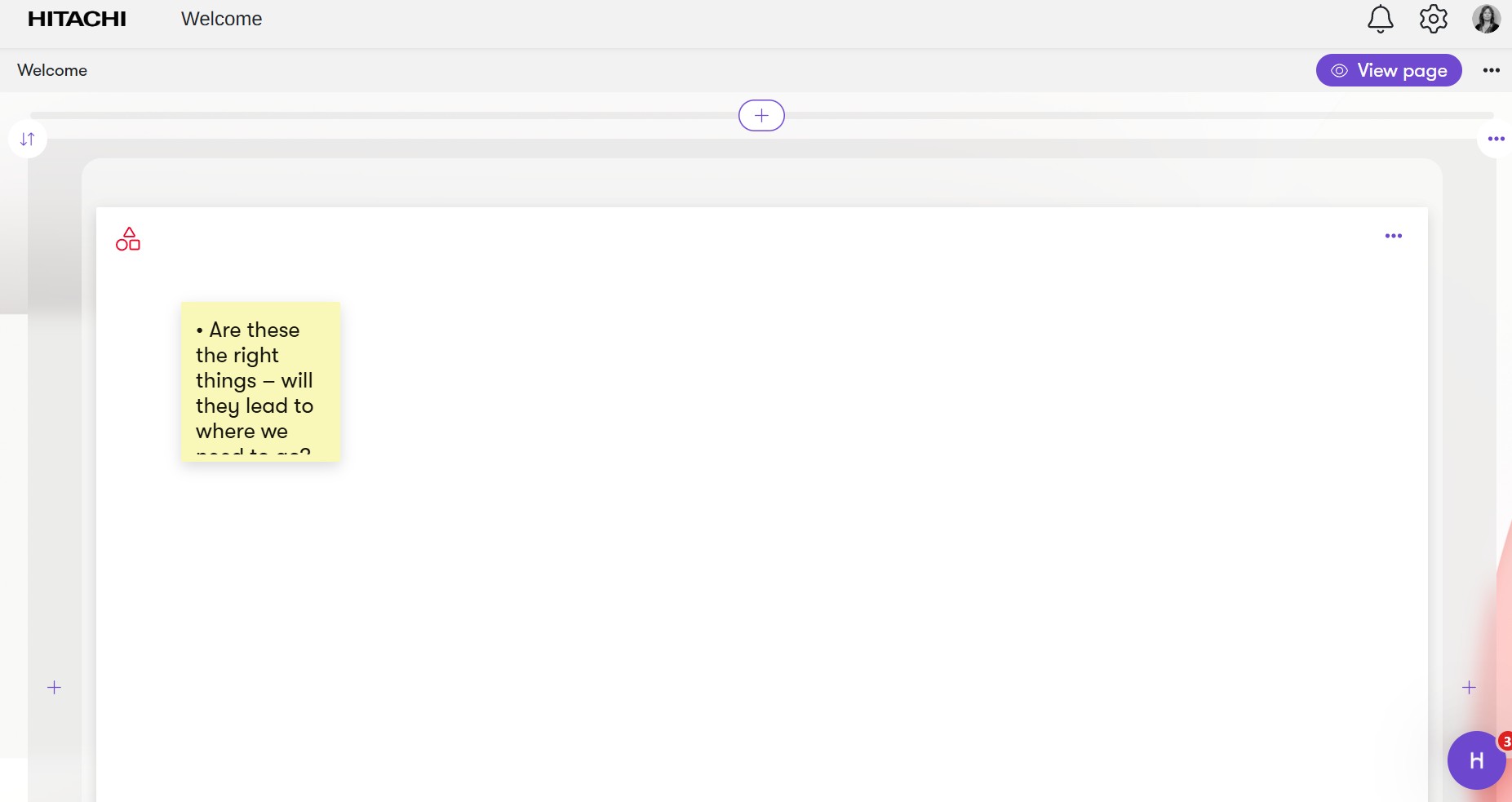
I decided to try if Canvas could be used for a workshop and realized I couldn't, I thought I'd share the case with you if it is possible to make some adjustments. Perhaps others also see this need? In this case I wanted to use this widget in a synchronous F2F meeting. My plan was to show the canvas on the big screen in the room, so that everyone would get an overview. Then I realized that the text written on the notes cannot be read if you don't hoover the curser over it. I thought I would be able to expand the width of the note somehow, but it wasn't possible.
Hi Louise! There are two ways you can affect the note sizes on Canvas:
1. Making the container where the Canvas is Full width
2. Changing the element size from Canvas settings to Large
Could you test if these works for you?
Don't think so. This is a screen shot from a bigger desk-screen (24 inches I think). When I choose Large, the font is enlarged, so what is visible on the note does not change. I haven't tried connecting my computer to a conference screen, though. That might help!
8.10.2025 06:11, Louise Von-matern
We make change succeed
Howspace is the learning and enablement platform where large groups build shared understanding through dialogue, and apply it in their work.